


WEB
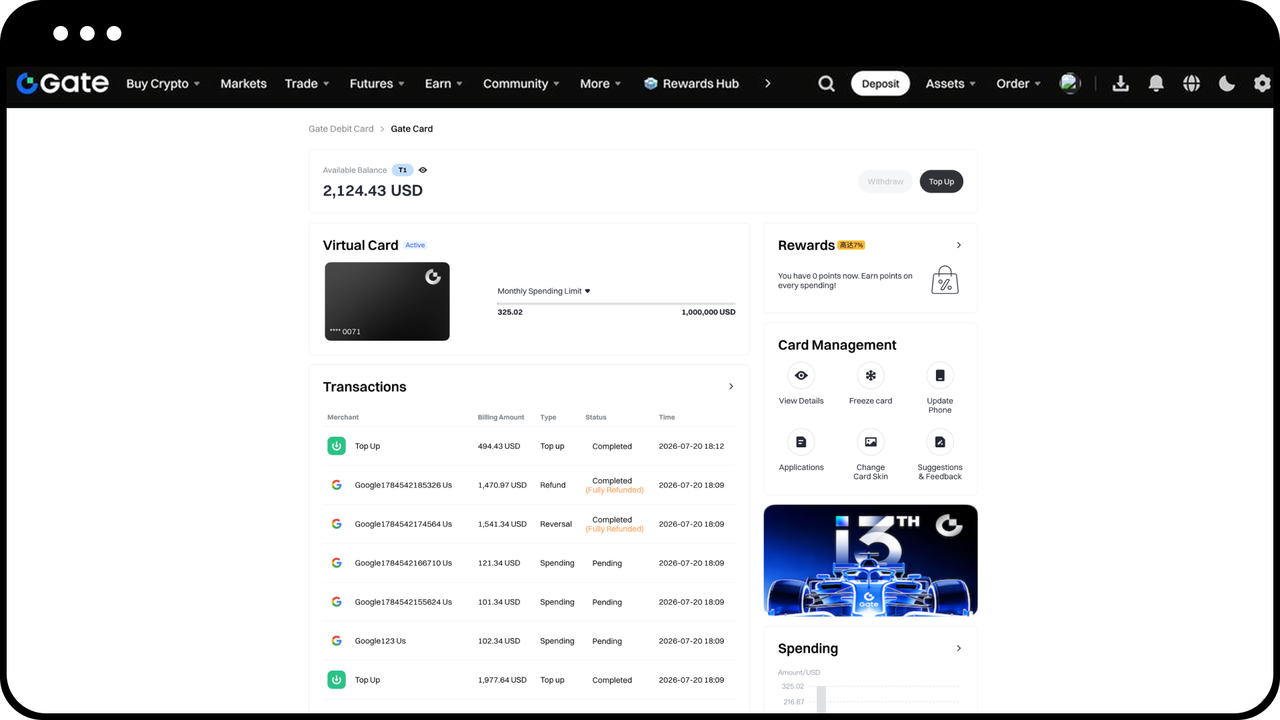
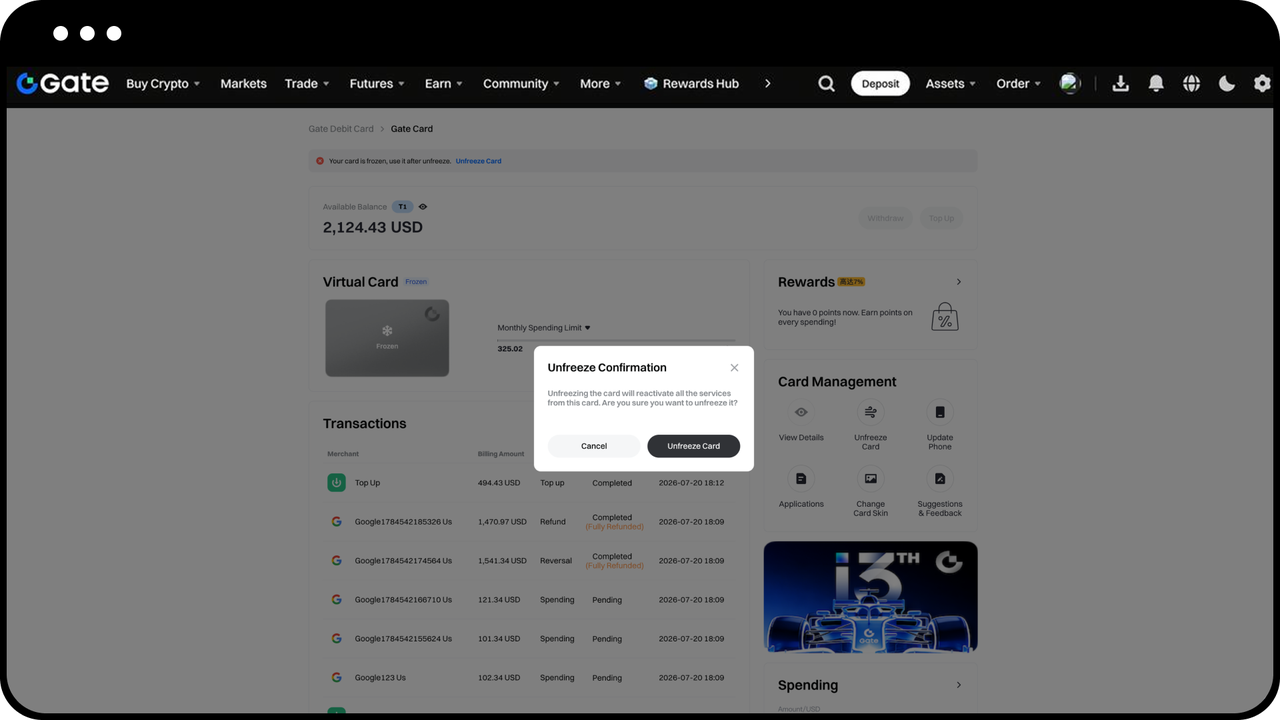
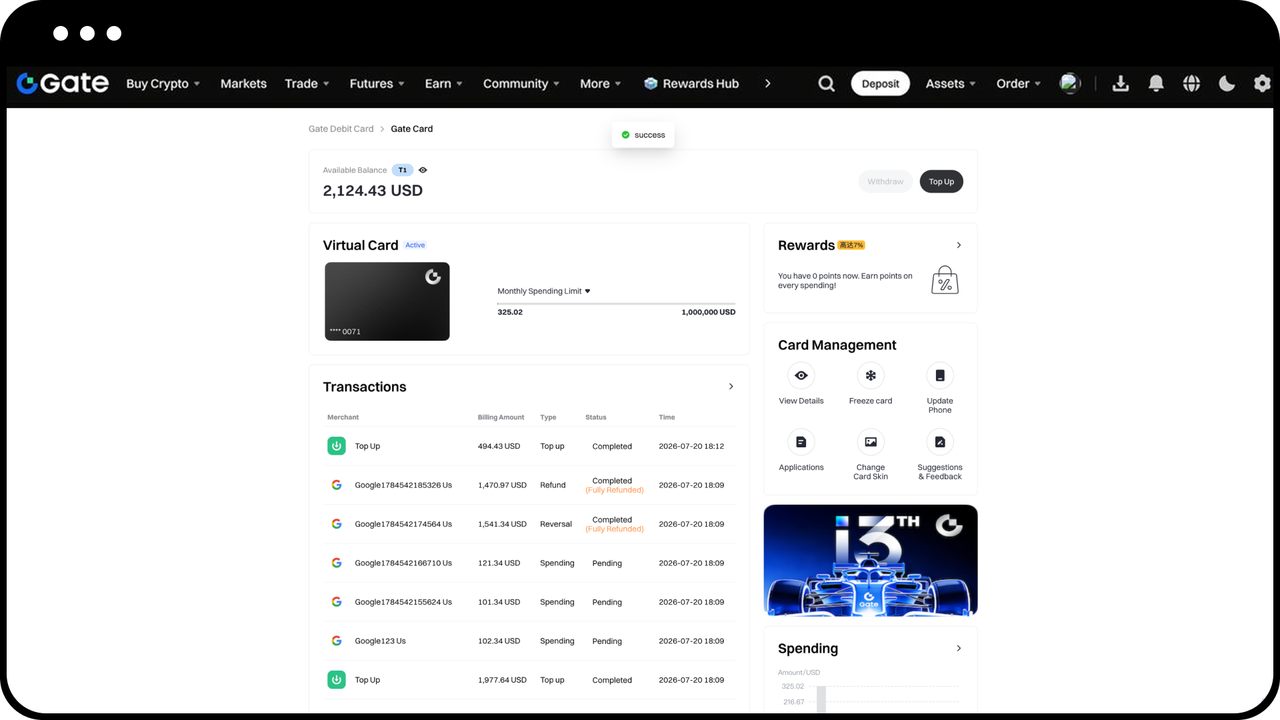
Open the Card Management Page to see your account balance, transaction history, and action buttons such as Top Up, View Details, and Freeze Card
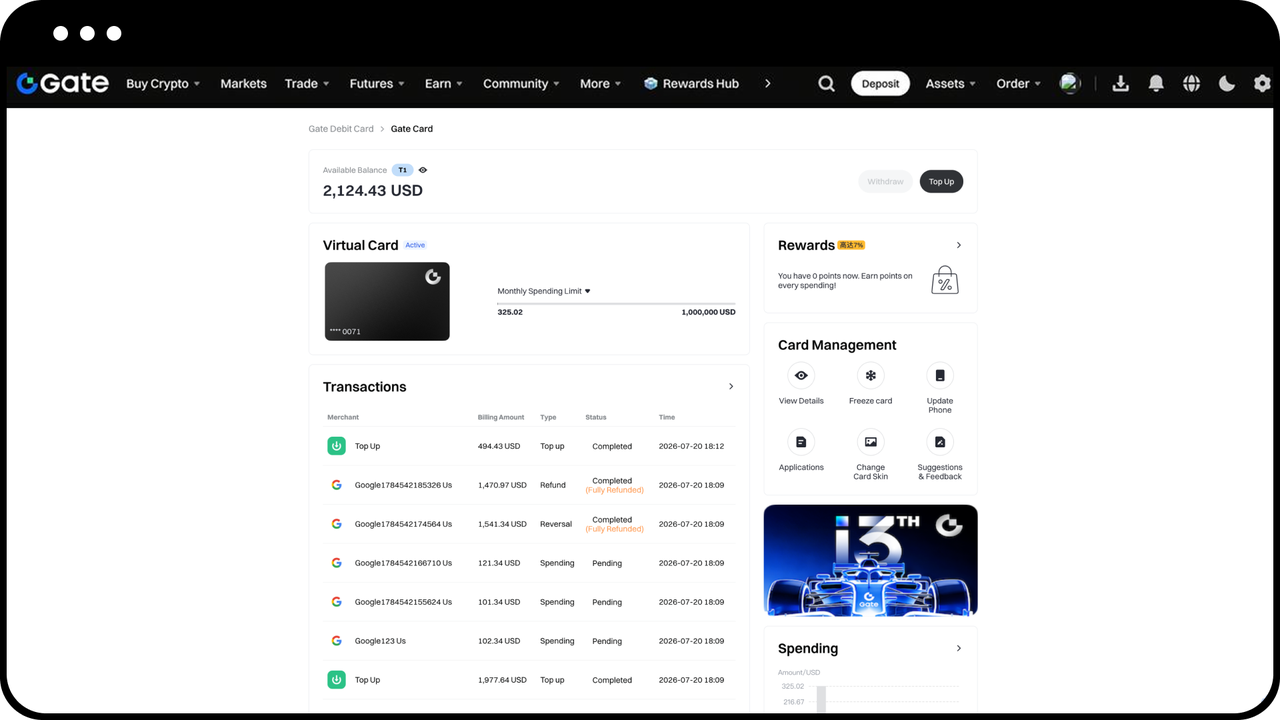
How to Top Up
Click the [Top Up] button - select the currency for your Top Up and enter the amount - confirm the Top Up details to successfully top up your Gate Card
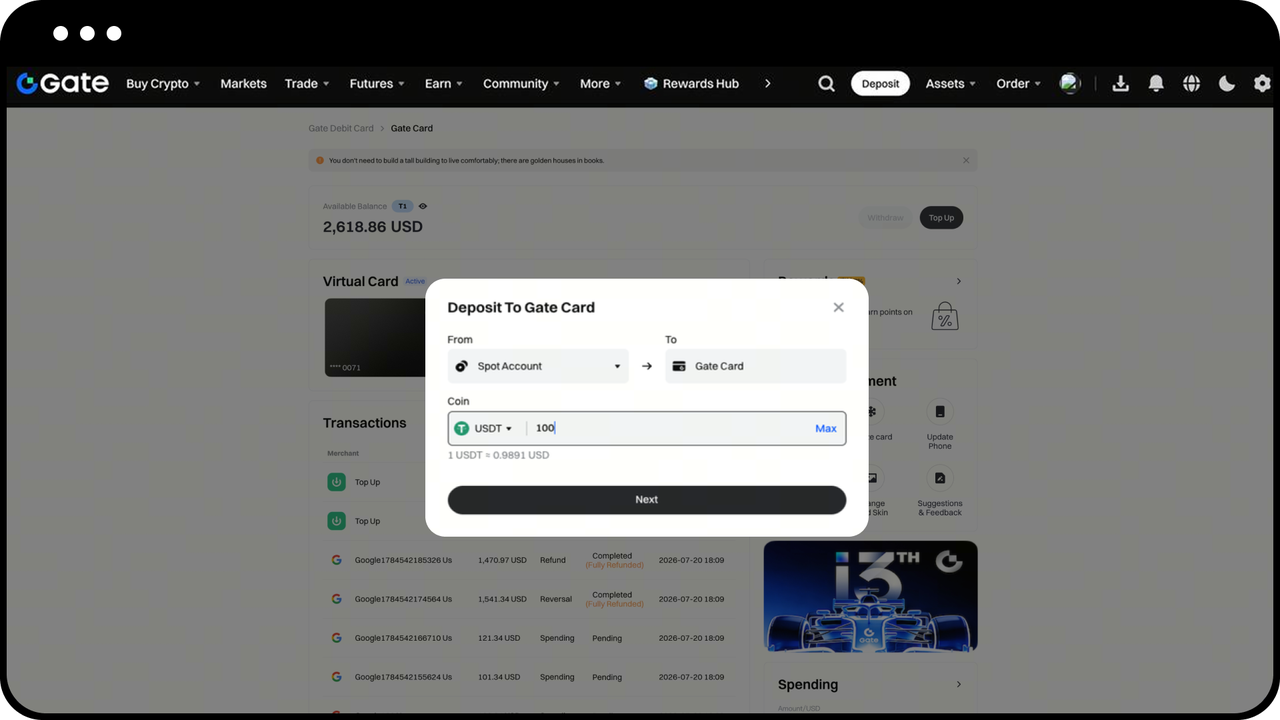
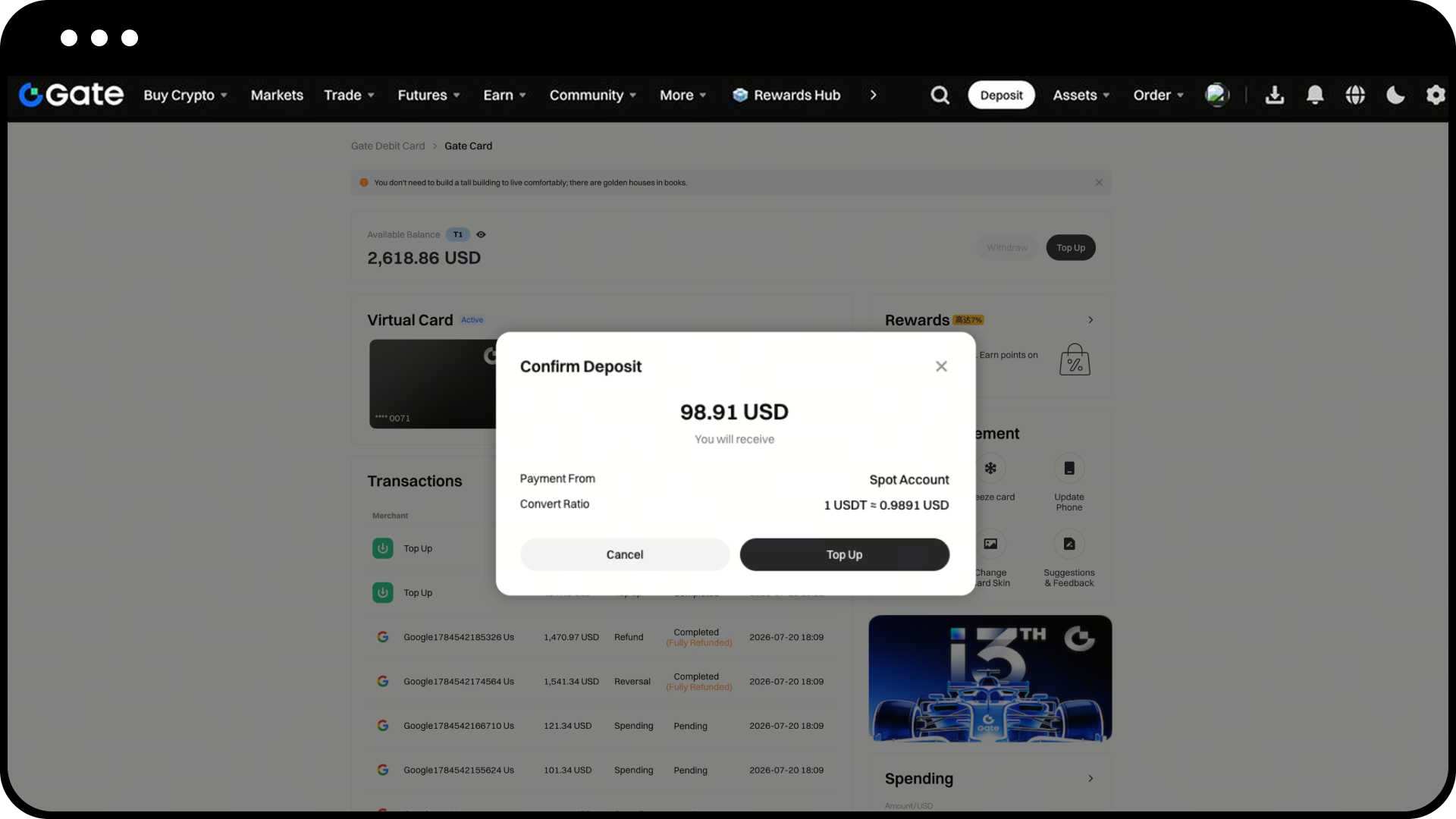
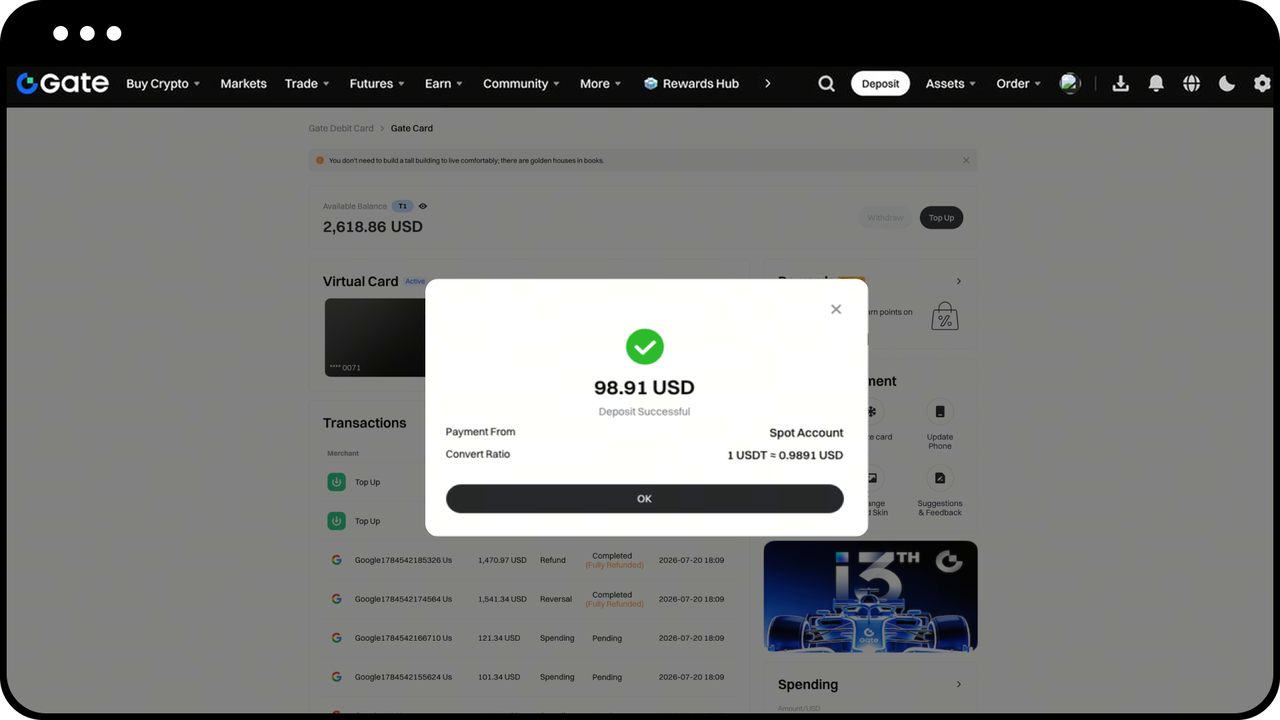
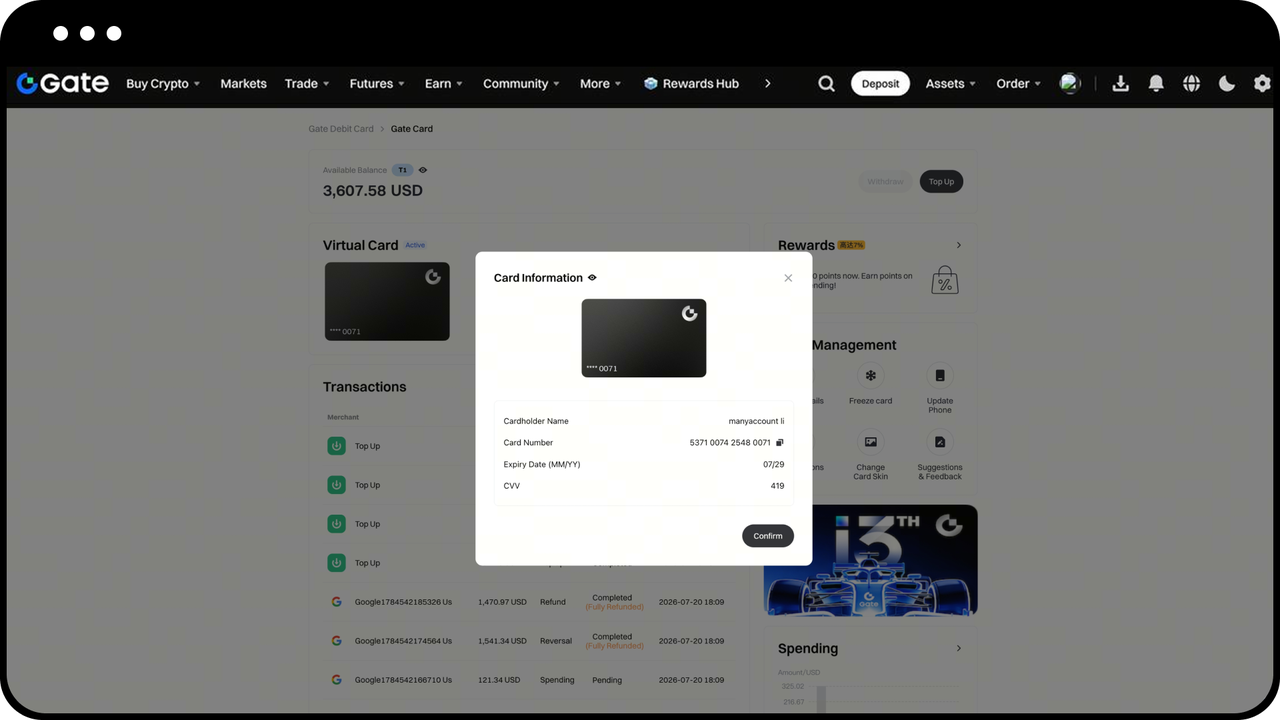
View Card Information
Click [View Details] - verify with your security settings - to view your card information
How to Freeze/Unfreeze Your Card
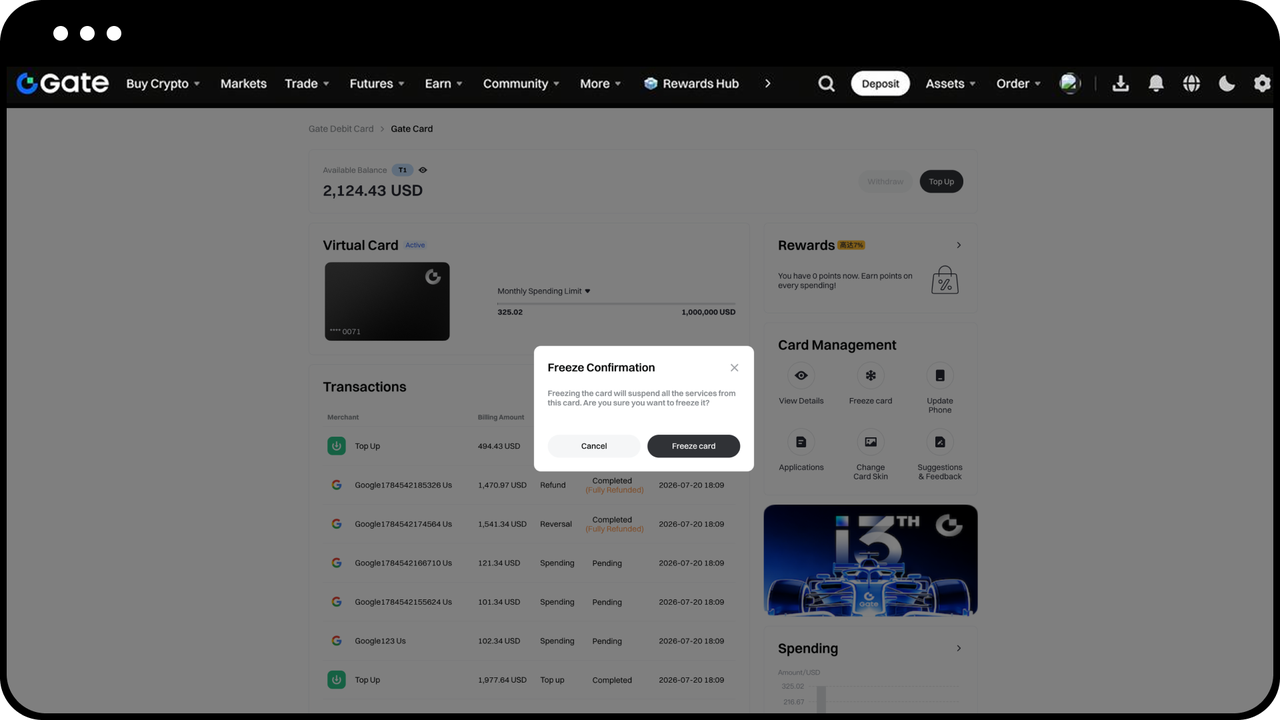
Click [Freeze Card] - once confirmed, your card will be frozen immediately. A frozen card cannot be used
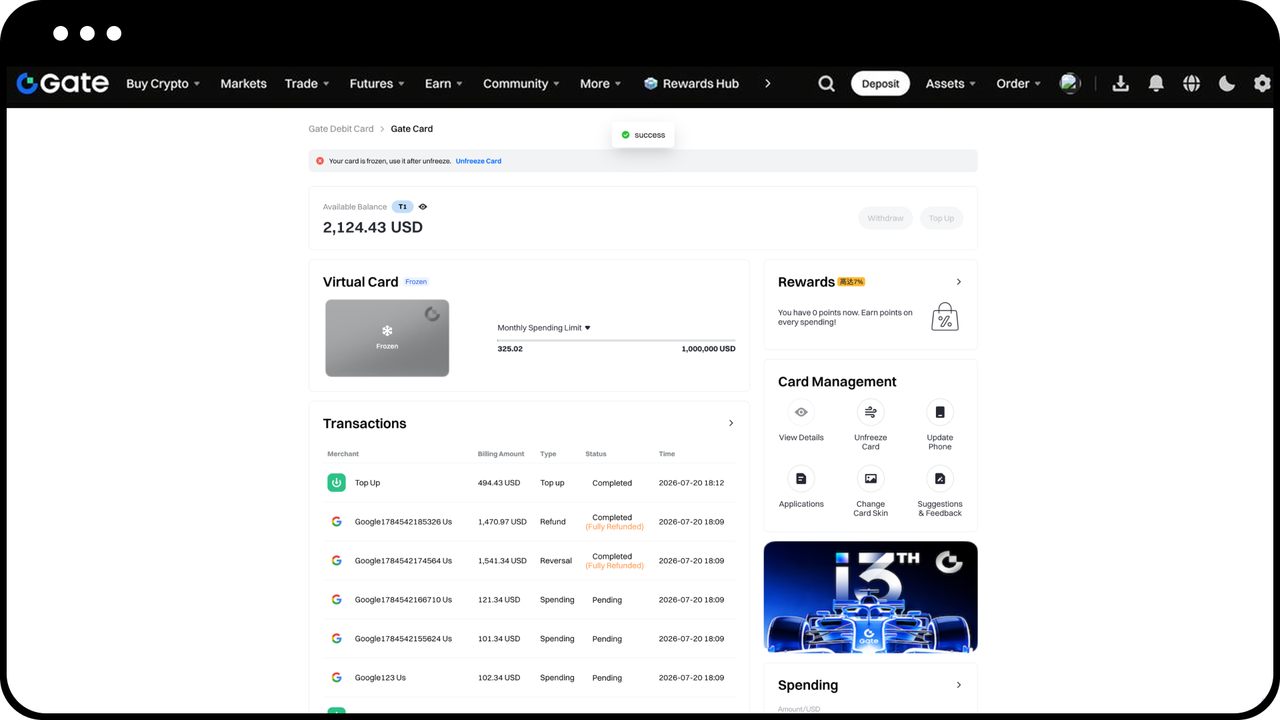
Click [Unfreeze Card] - once confirmed and verified with your security settings, your card will be unfrozen immediately. Once unfrozen, your card can be used again
APP
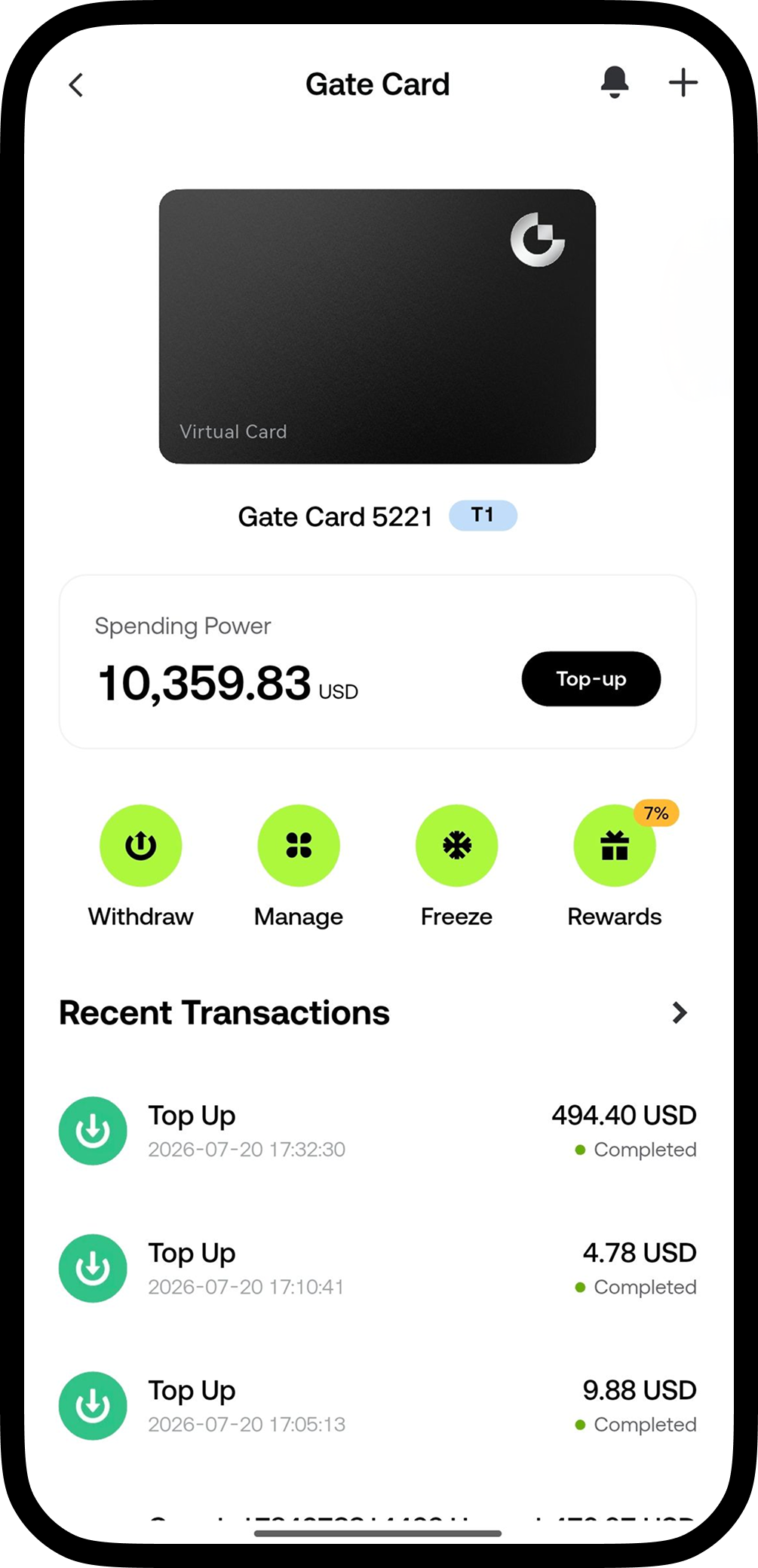
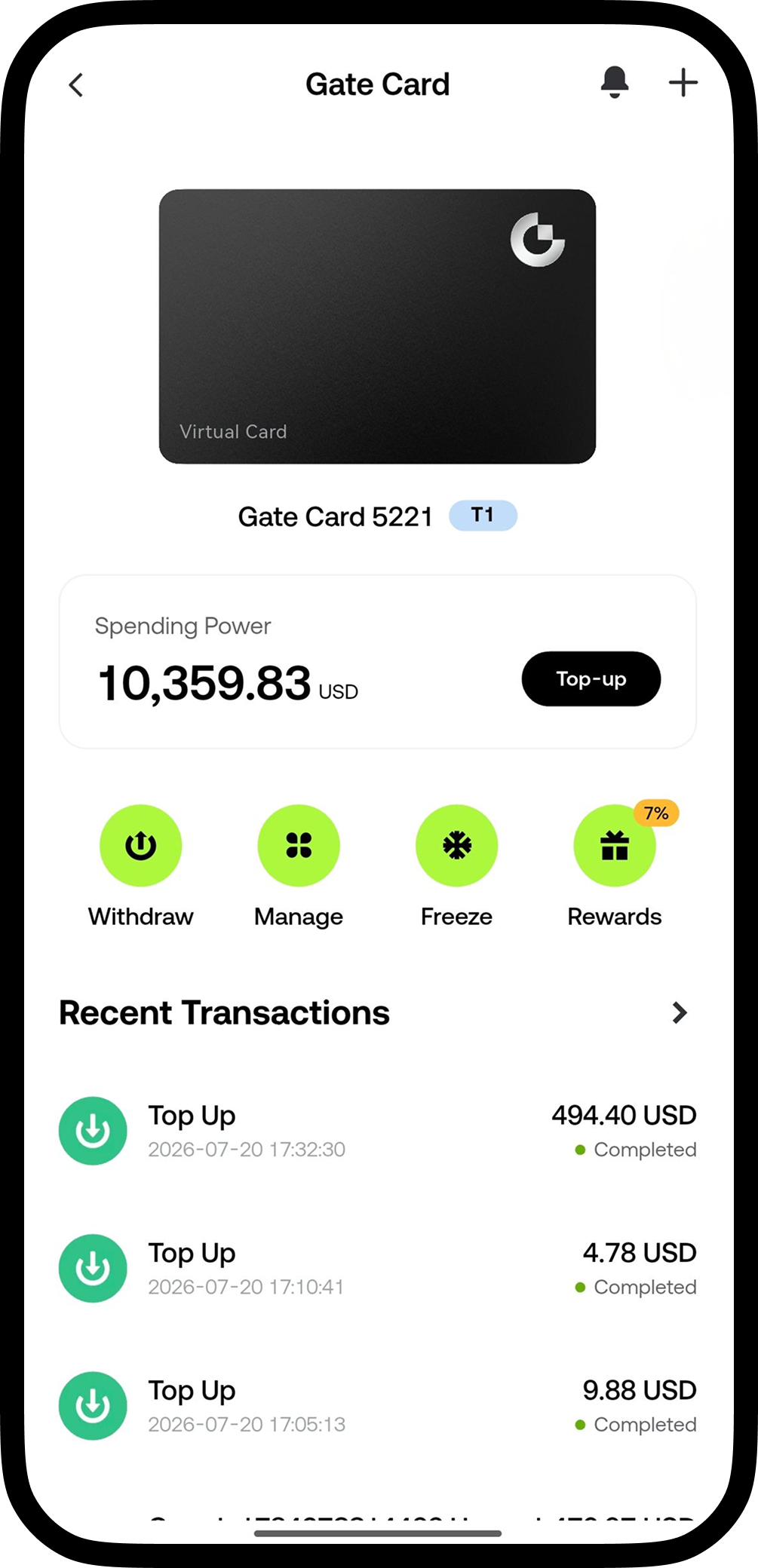
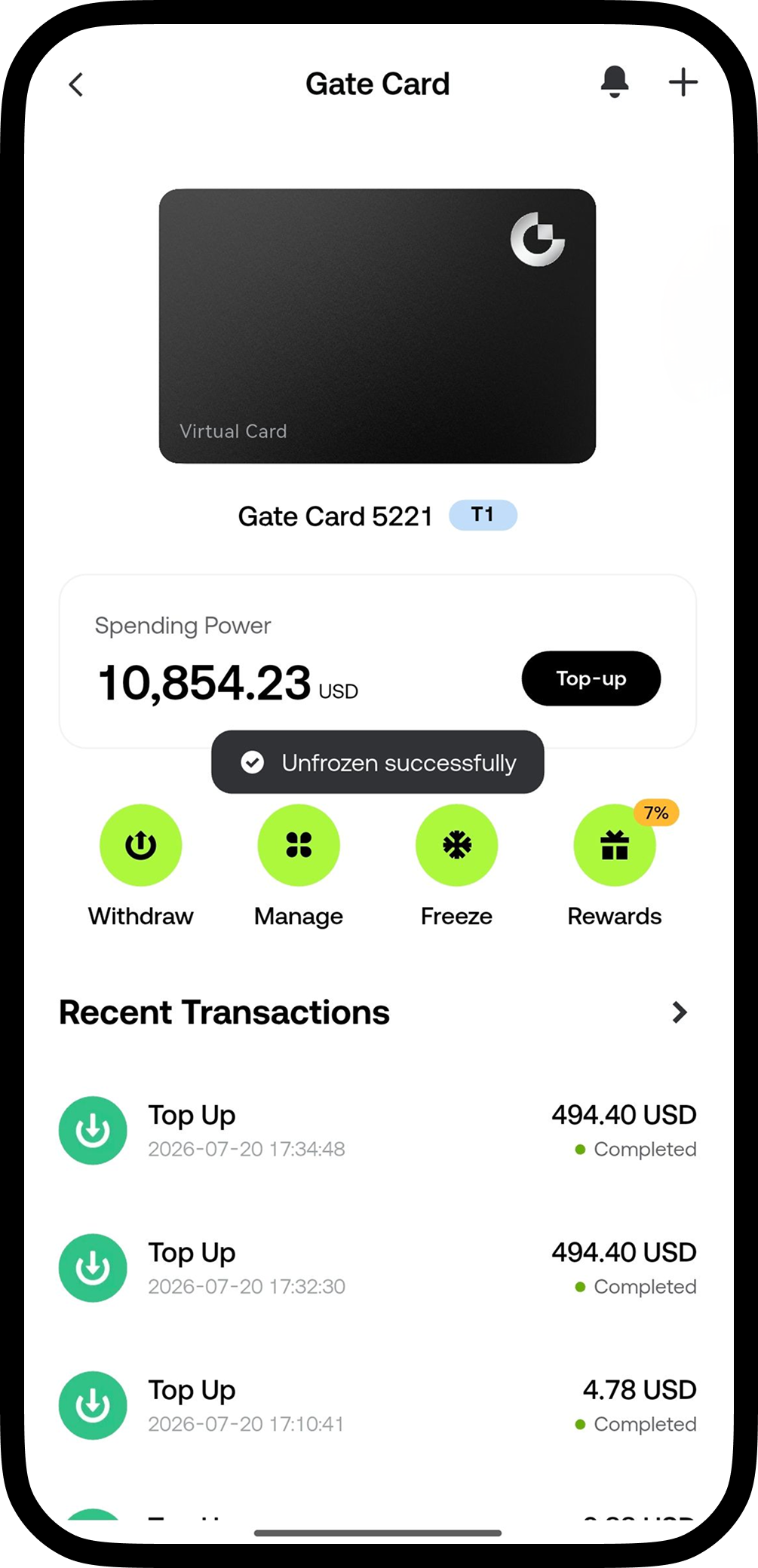
Once your card application is approved, open the Gate app and tap the Gate Card entry to go to the Card Management page, where you'll see your account balance, transaction history, and action buttons such as Top Up, View Details, and Freeze Card
How to Top Up
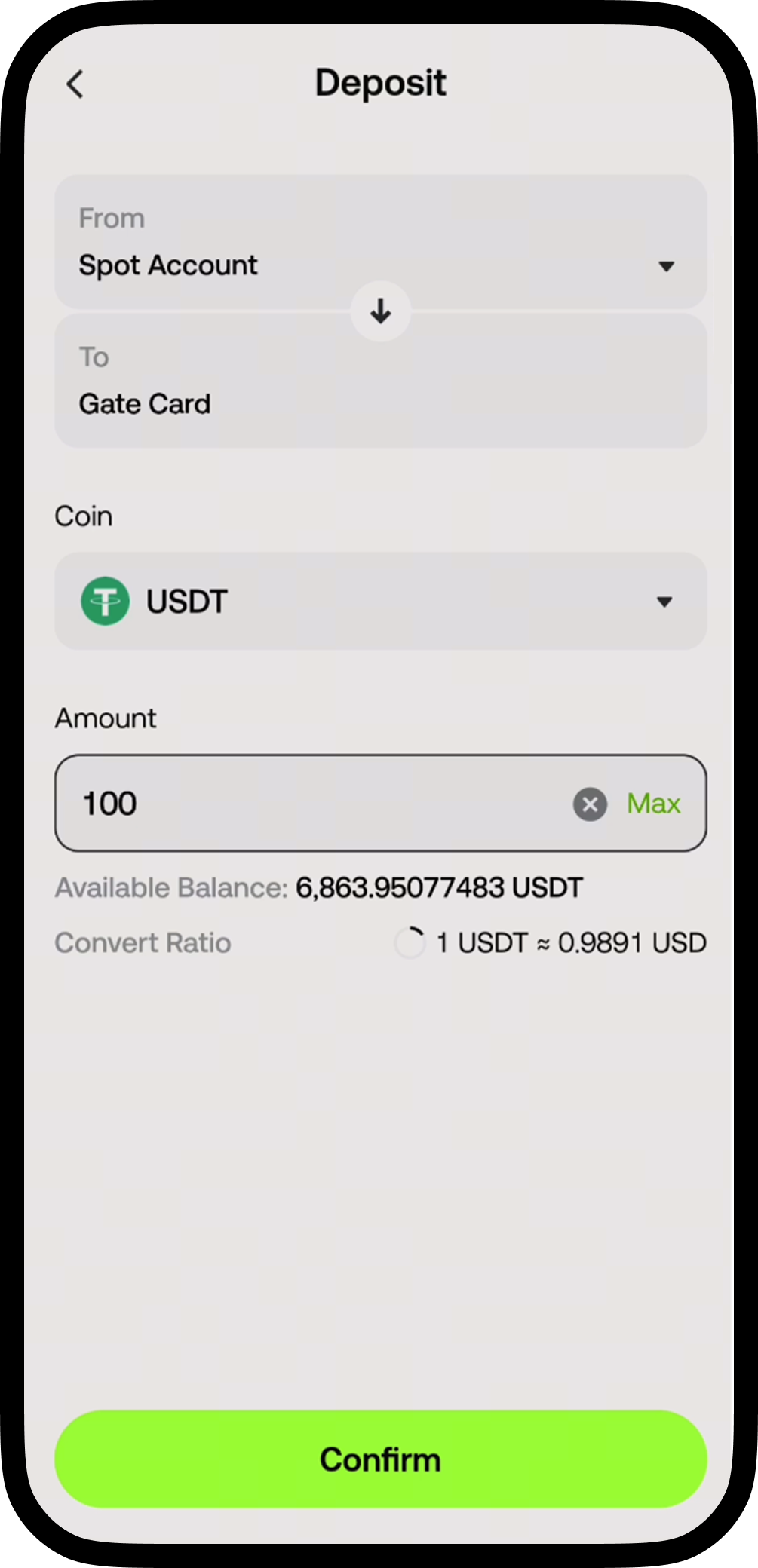
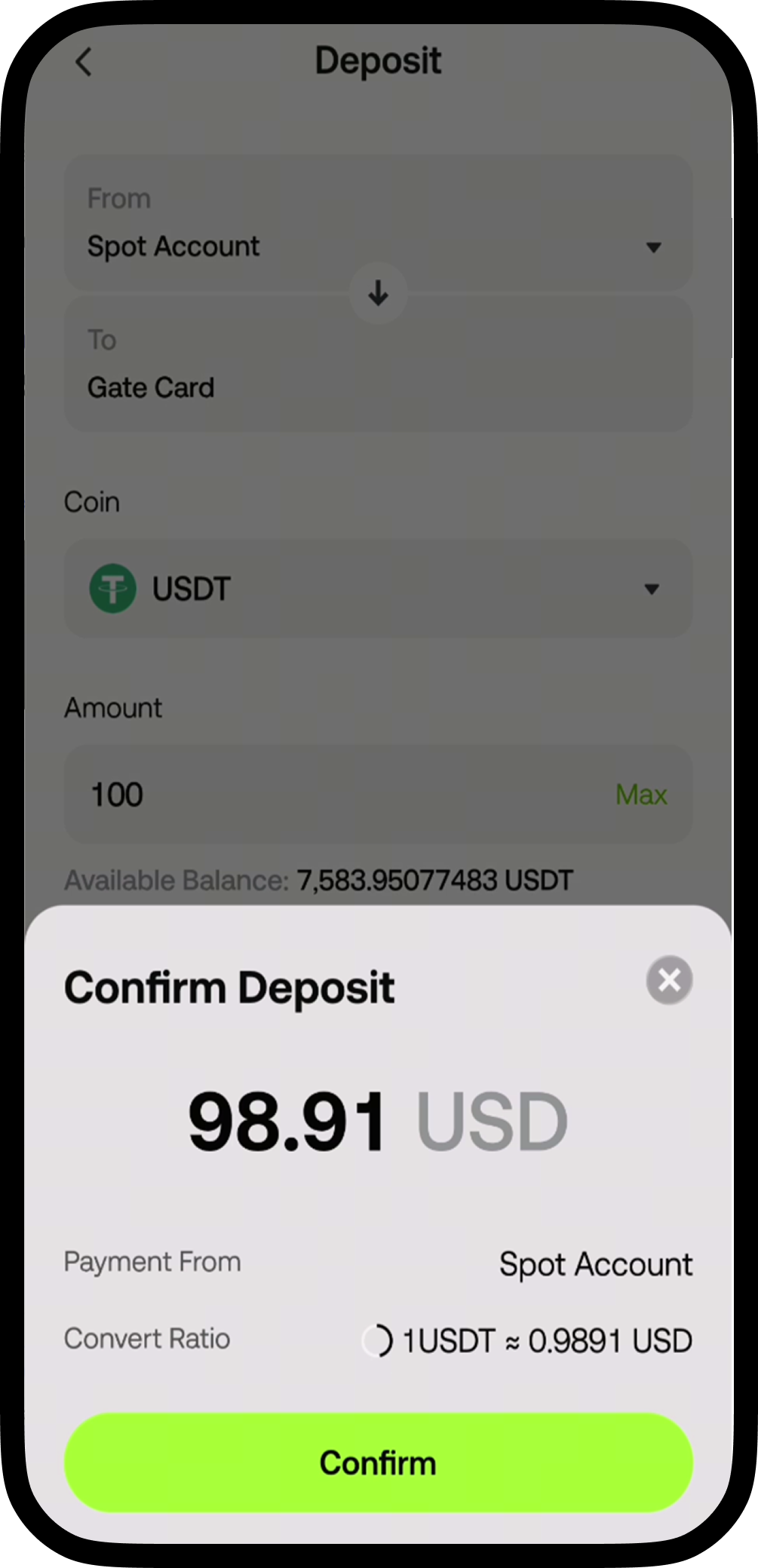
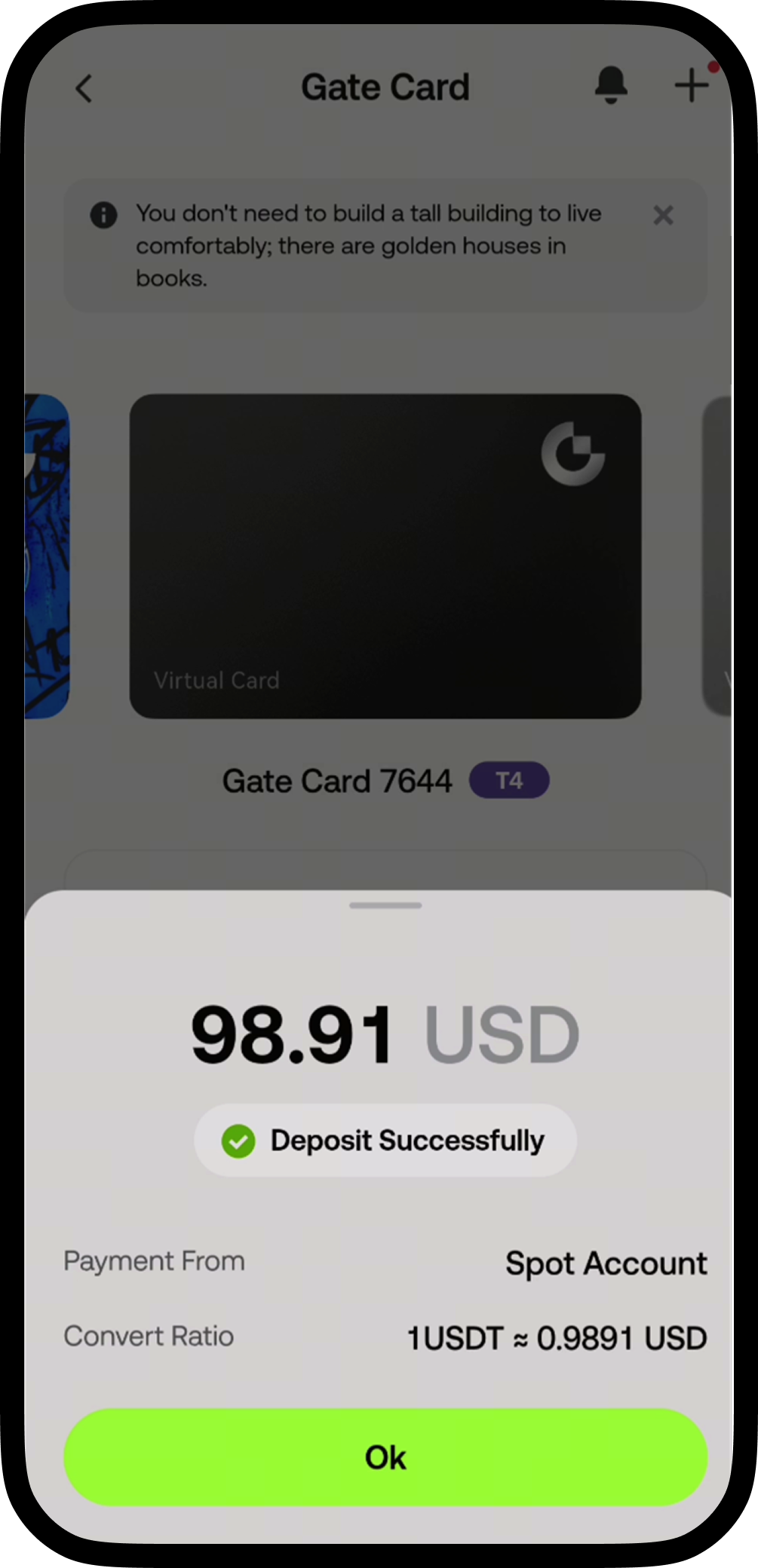
Tap the [Top Up] button - select the currency for your Top Up and enter the amount - confirm the Top Up details to successfully top up your Gate Card
View Card Information
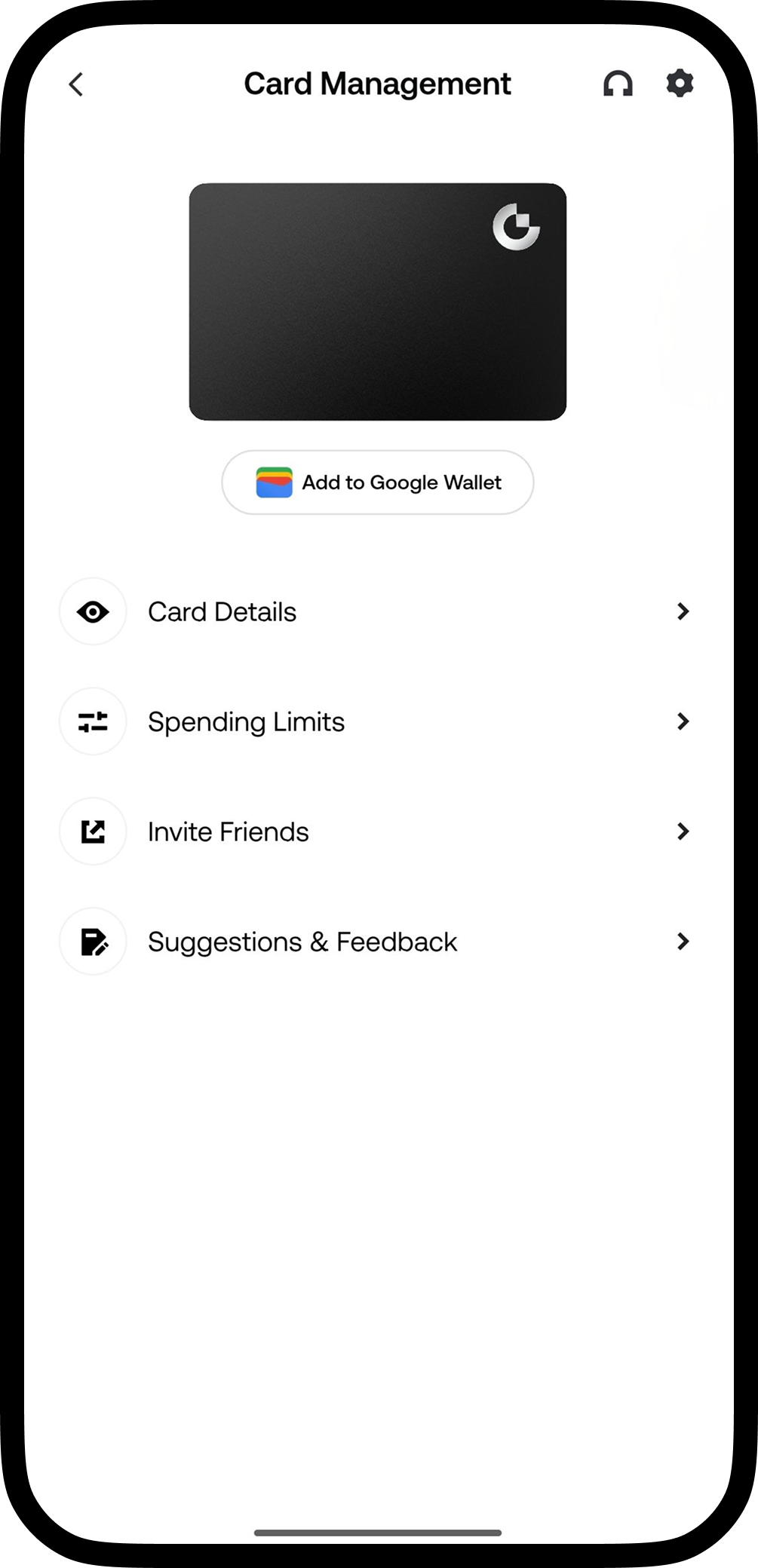
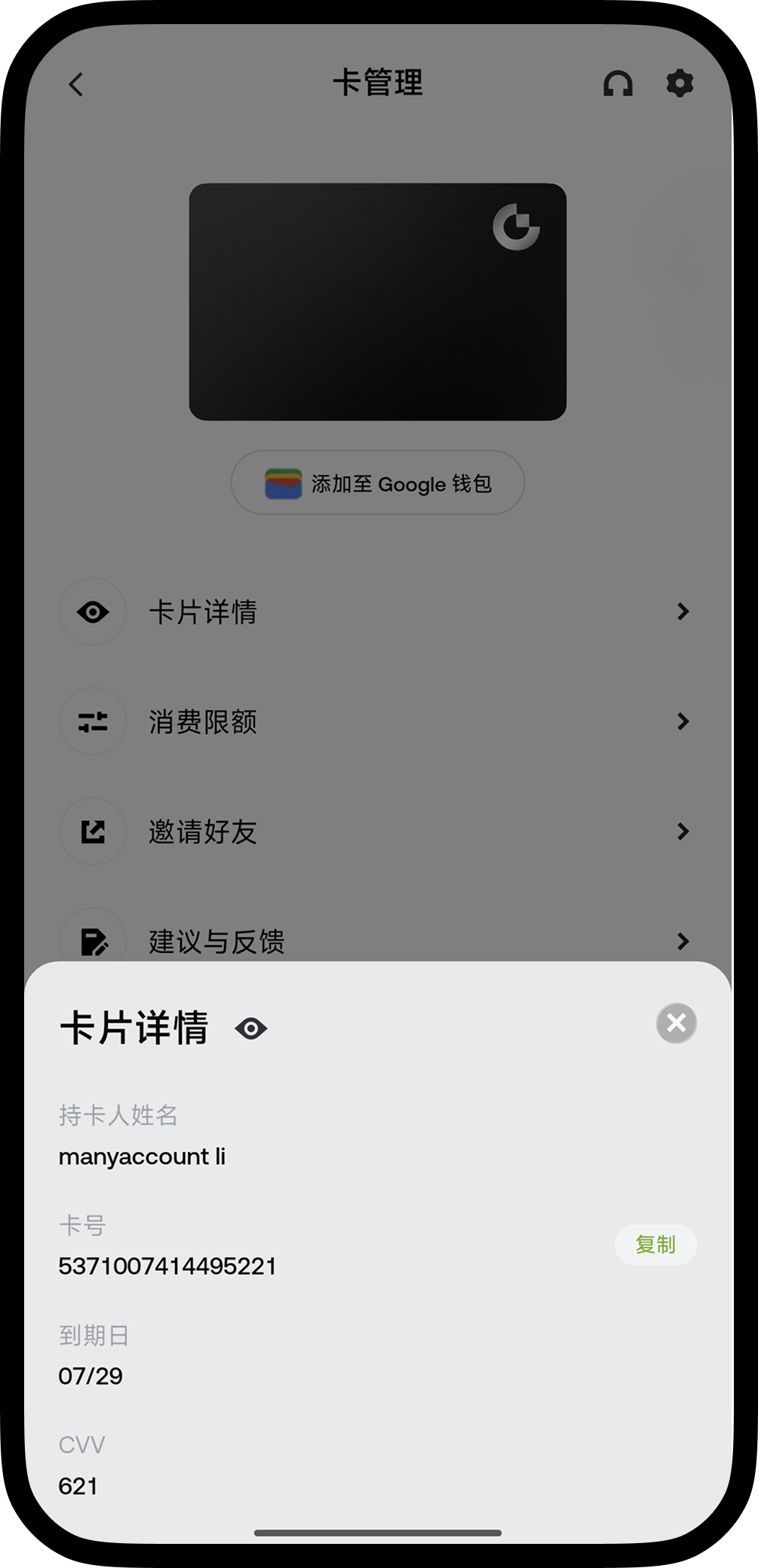
Open [Manage] → Tap [Card Details] → Complete security verification → View your card information
How to Freeze/Unfreeze Your Card
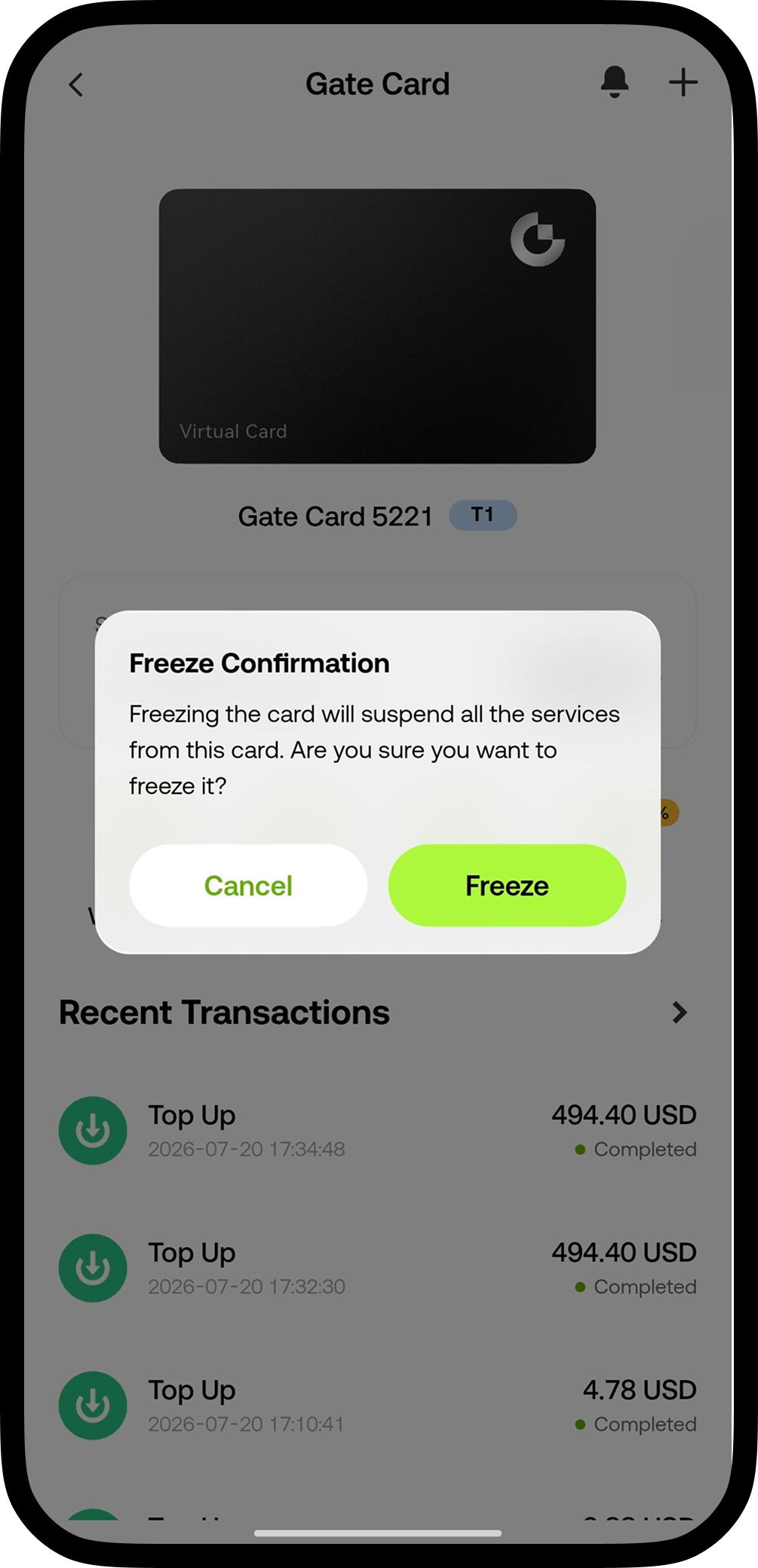
Tap [Freeze Card] - once confirmed, your card will be frozen immediately. A frozen card cannot be used
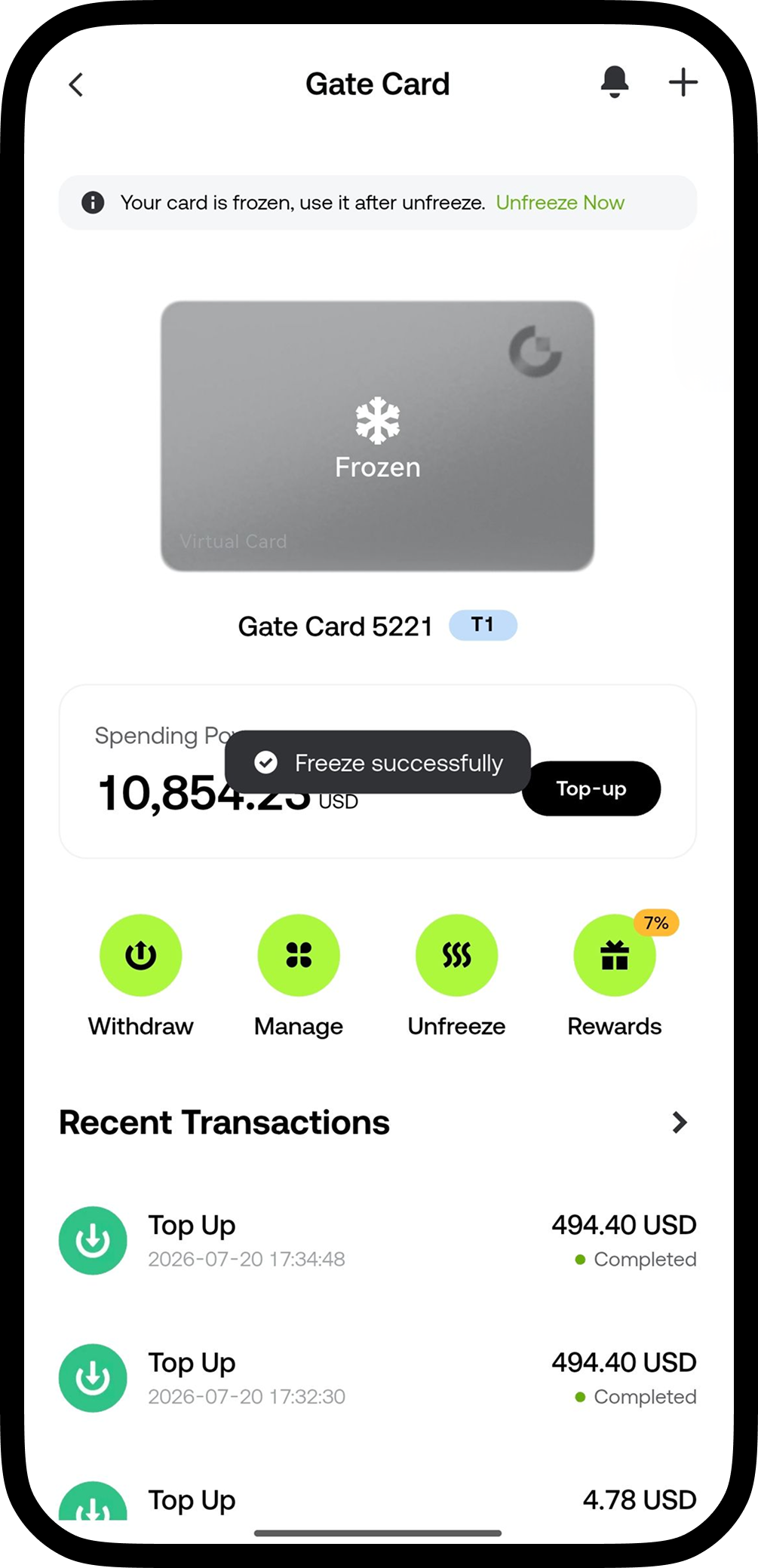
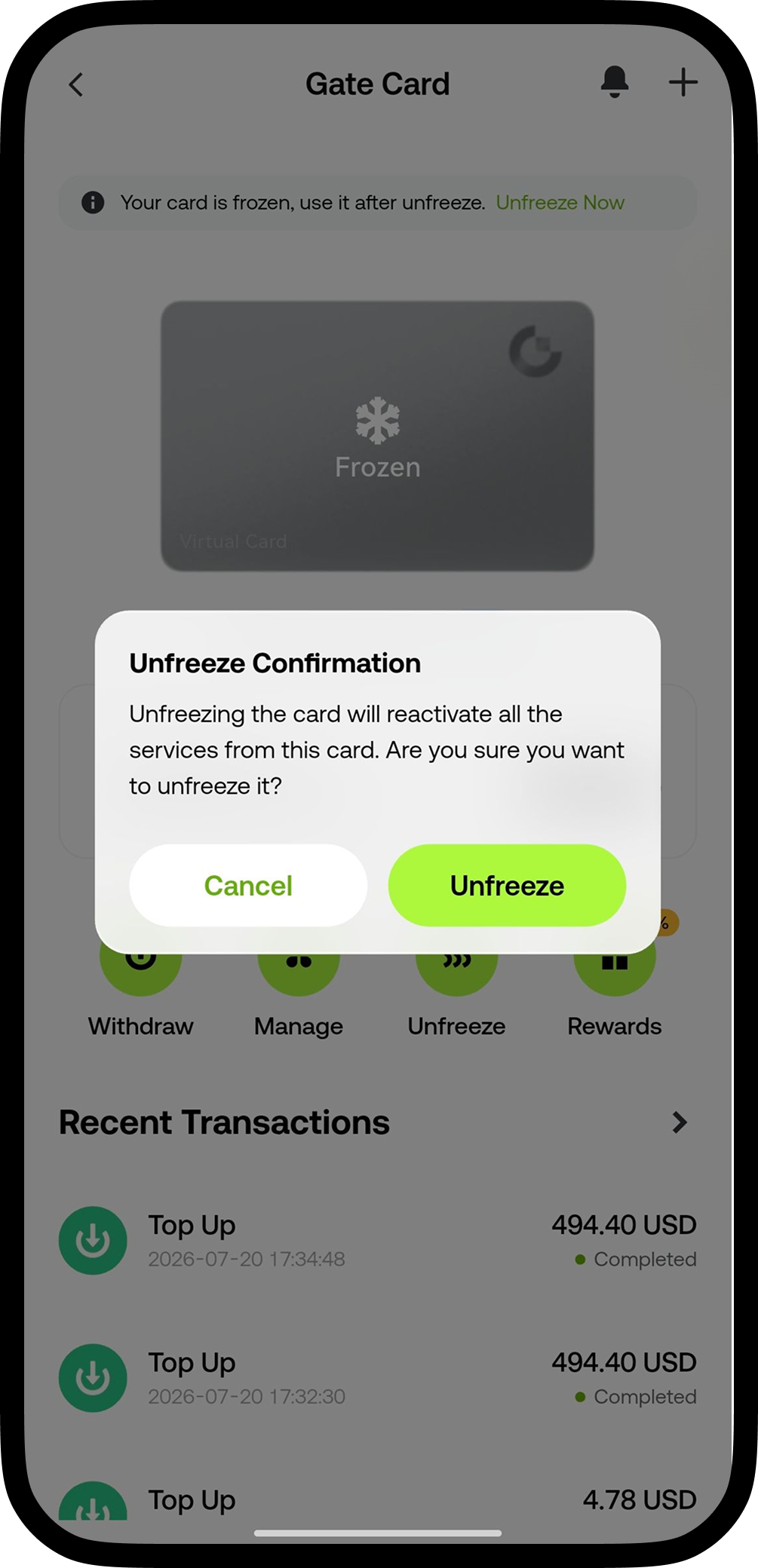
Tap [Unfreeze Card] - once confirmed and verified with your security settings, your card will be unfrozen immediately. Once unfrozen, your card can be used again
Disclaimer
The content provided herein is for reference and educational purposes only and does not constitute any financial, investment, trading, or legal advice, nor does it constitute an offer or solicitation to buy or sell any digital assets. Gate makes no express or implied representations or warranties regarding the accuracy, completeness, or timeliness of the information contained herein. Product features, interfaces, rules, and fee structures may be updated or adjusted at any time. Please refer to the latest announcements and the actual information displayed on the Gate platform for the most accurate details.
Digital asset investments involve significant risk, and prices may fluctuate substantially. You may lose the entire amount of your investment. Please make decisions cautiously based on your own financial situation and risk tolerance after fully understanding the associated risks. If necessary, you are advised to consult an independent professional financial or legal advisor.
For more information about potential risks, please refer to Gate's [Risk Disclosure](https://www.gate.com/legal/risk-disclosure) and [User Agreement](https://www.gate.com/user-agreement).
