What Is an Iceberg Order?
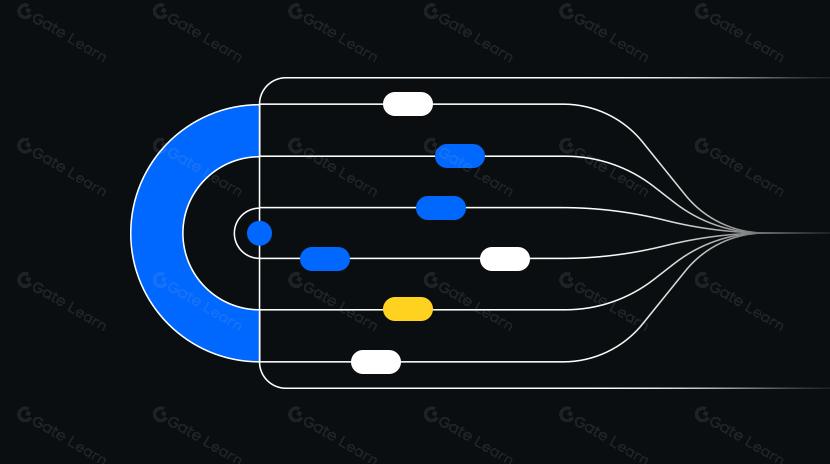
An iceberg order is an advanced trading order type that breaks a large order into multiple smaller limit orders. Only a small "display quantity" is visible on the order book at any time, while the remaining amount is automatically replenished as each portion is filled.
The order book is a real-time list of all buy and sell orders on a platform, showing the lineup of prices and quantities. An iceberg order exposes only the "tip of the iceberg"—a fraction of your total order—to conceal your true intent from the market.
Placing a large order directly can cause significant price fluctuations. By submitting a series of smaller orders, the execution becomes smoother and reduces slippage—the difference between your expected price and the actual execution price.
Why Do Traders Use Iceberg Orders?
Traders leverage iceberg orders to execute large trades discreetly, minimizing price impact and slippage while maintaining control over the execution pace.
This approach also hides the full order size, reducing the chance of being front-run or copied by other participants. Additionally, breaking an order into smaller maker orders may qualify for favorable maker fee rates, though actual fees depend on platform rules.
How Do Iceberg Orders Work?
Iceberg orders operate through coordination between "display quantity," "total quantity," "limit price," and "replenishment rules." The display quantity is posted on the order book; once filled, the system automatically adds a new segment of the same or preset size until the total quantity is executed or the order expires.
The limit price defines the maximum price you are willing to pay (or the minimum you are willing to accept), setting the price boundary for each segment. Replenishment rules dictate when and how much to refill; some platforms offer randomized display quantities to further reduce detection risk.
Example: If you want to buy 10,000 tokens but only want 500 visible at a time, set a total quantity of 10,000, display quantity of 500, and a buy limit price of 1.00. After each batch of 500 is filled, the system immediately posts another 500, repeating until the full amount is placed or market prices move out of your specified range.
Where to Find and How to Set Up Iceberg Orders on Gate?
If supported, you can typically find iceberg orders in Gate's professional or advanced order panels.
Step 1: Navigate to Gate, select your trading pair, and choose either spot or derivatives' advanced order panel.
Step 2: In the order type dropdown, select "Iceberg Order" (if available for that product line).
Step 3: Enter total quantity, display quantity, limit price, and validity period (such as good-for-day or good-till-canceled).
Step 4: Set risk parameters, ensuring your display quantity does not exceed a reasonable proportion of market depth at that price level to avoid excessive exposure.
Step 5: Submit your order and monitor replenishment progress in the order list. Adjust limit prices or pause as needed.
Note: Actual features may vary as products evolve. Always follow Gate's official online instructions for details. For fund safety, enable account security settings and manage position sizes carefully.
How Do Iceberg Orders Differ from Limit Orders and TWAP?
The main difference between iceberg orders and standard limit orders lies in "display quantity" and automatic replenishment. A limit order posts the entire amount at once; an iceberg order only shows a small portion, with new segments posted as each is filled.
TWAP (Time-Weighted Average Price) is an execution algorithm that divides a large order into smaller portions over time to achieve an average price across a set period. Iceberg orders focus on splitting visibility within the order book—timing is secondary to controlling what is visible and how replenishment occurs.
On low-liquidity assets, iceberg orders prioritize order book visibility; during volatile high-liquidity periods, TWAP emphasizes time-averaged execution. Both can be combined but should be managed carefully to avoid interference.
When Are Iceberg Orders Most Suitable?
Iceberg orders are ideal for discreetly executing large trades—such as institutional investors, funds, or DAO treasuries adjusting their holdings while seeking to minimize market impact.
They are also useful for low-liquidity tokens to avoid moving prices with one large trade. Iceberg orders help maintain a steady execution path during gradual accumulation/distribution or hedging strategies.
In derivatives trading, if you need to scale into or out of leveraged positions gradually, iceberg orders help control entry pace and risk exposure.
What Are the Risks and Costs of Using Iceberg Orders?
Iceberg orders are not fully "invisible." Skilled market observers may detect your activity by analyzing fill patterns and adjust their quotes accordingly. This can make it harder for subsequent segments to execute or worsen your execution prices.
If your display quantity is too small, you may end up waiting at the back of the queue and miss market opportunities; too large and you could trigger price moves. Additionally, more executions mean potentially higher total fees—actual maker/taker rates vary by platform.
On-chain order books or public mempools introduce risks of front-running and priority issues. When using leverage or derivatives, watch for liquidation risks and maintain proper margin management. For large sums, diversify execution, enable two-factor authentication, and ensure ample backup liquidity.
How to Optimize Iceberg Order Parameters?
Step 1: Analyze market depth and recent fill rates. Market depth reflects available liquidity at each price level; your display quantity should not exceed a reasonable share of average size at that level.
Step 2: Determine an appropriate display quantity range. A common practice is to set your display size slightly below the average fill size at that price level for discretion while maintaining execution probability.
Step 3: Set reasonable limit price boundaries. Buy limits should not be set too far below recent trades; sell limits should not be too far above. Consider using price protection features where available to avoid poor fills during volatility.
Step 4: Choose validity period and replenishment rhythm. If the platform allows randomizing display size or interval, consider enabling this for added stealth—but avoid excessive intervals that could slow execution.
Step 5: Monitor in real time and adjust as needed. If fill rates drop or prices move away from your targets, reduce display size, fine-tune limits, pause replenishment, or switch strategies.
Step 6: Prepare contingency plans. Have stop-loss/take-profit triggers or emergency cancellation protocols ready for unexpected news or volatility to prevent unintended exposure during extreme market conditions.
Development Trends for Iceberg Orders in Web3
By mid-2024, more leading platforms offer iceberg orders among their suite of advanced order types for both spot and derivatives markets; some on-chain order book protocols are also experimenting with similar mechanisms in public blockchain environments.
With increasing institutional participation and regulatory oversight, demand for quality execution and trading privacy is rising. Expect more integration between iceberg orders, algorithmic execution tools, and risk management modules. Future innovations may include smarter dynamic adjustment of display quantities and cross-market coordinated execution for improved efficiency, compliance, and transparency.
Key Takeaways on Iceberg Orders
Iceberg orders allow large trades to enter the market more smoothly by only showing small portions at a time with automatic replenishment—reducing market impact and slippage. Understanding order book visibility and carefully setting display quantity and limit price are crucial for effective use. On platforms like Gate where supported, follow setup steps closely and monitor performance continuously—optimize parameters based on liquidity needs and risk appetite. When dealing with significant funds or leverage, always allow buffer space, diversify execution routes, and prepare contingency plans.
FAQ
Can Other Traders Detect My Iceberg Order?
Iceberg orders are designed to hide your true intentions but are not completely invisible. Other traders might infer a large underlying order by observing a series of small fills on the order book. Savvy counterparties may front-run or push prices higher in response. It’s advisable to use iceberg orders on highly liquid assets to reduce detection risk.
What’s the Difference Between Display Quantity and Total Quantity in an Iceberg Order?
Display quantity is the portion exposed on the order book at any given time; total quantity is the full amount you wish to trade. For example, if you want to buy 1,000 BTC but only show 50 at once, the system will break up your order accordingly. Smaller display quantities offer more stealth but increase trade count and fees—balance privacy against costs.
What Happens If My Iceberg Order Isn’t Fully Filled?
Unfilled segments remain active according to your time condition (such as good-for-day or GTC). You can check status at any time and manually cancel remaining parts or wait for prices to return within your range for auto-execution. It’s best to review progress regularly to avoid leaving orders forgotten on the market.
Why Is My Iceberg Order Filling More Slowly Than a Regular Order?
Since only part of an iceberg order is visible at once, it can be targeted by other traders or cause market makers to adjust prices upward—resulting in slower fills. This is a tradeoff between stealth and speed: more concealment often means slower execution. Use iceberg orders on liquid pairs or consider increasing display quantity if you need faster fills.
Do Iceberg Orders Support Stop-Loss or Take-Profit Features?
Standard iceberg orders typically do not include stop-loss or take-profit functions; they are designed for discreet execution of large trades. For risk management needs, consider combining iceberg orders with stop-losses using Gate’s advanced trading tools—but coordinate carefully to prevent conflicts between multiple active orders.